Publishers work hard to earn a reader’s first visit. The harder part is bringing that reader back. Search rankings shift without warning, social platforms limit how many followers see your posts, and more readers now get answers from AI summaries without ever clicking through. When another company controls the path to your audience, you can’t build a reliable plan around it.
Push notifications give you a direct line to readers that you own. A reader opts in with a single click, and from then on you can reach them on their desktop or phone the moment you publish something worth their attention.
This guide explains what push notifications are, how they compare with other channels, how publisher push notifications grow and keep subscribers, and how to measure results.
What is a push notification?
A push notification is a short, clickable message you send directly to a person’s device. It appears on their screen even when they aren’t on your website or in your app, and one click or tap takes them straight to the content you linked.
The name stems from how the message reaches people. On search and social, the reader has to go looking for your content. With push, you deliver it to them.
Most push notifications for publishers share the same core parts:
- A title
- A short line of body text
- An icon that identifies you as the sender
- An image
- A destination URL, which is usually an article, video, or live coverage page
Readers have to opt in before you can send them anything. When someone visits your site, you ask for permission through a browser prompt, and the reader chooses to allow or block notifications. Because readers choose to subscribe, push gives you a permission-based audience without asking anyone for an email address or phone number.
What are push notifications for publishers?
Push notifications for publishers are web push messages that bring readers back to your content. Publishers use push to distribute stories, alert subscribers to new content or breaking news, or when an article matches what they like to read.
For most publishers, push works as a distribution channel alongside your homepage, newsletters, and social accounts. Each notification promotes a specific piece of content and takes the reader directly to that page. Over time, those return visits build a loyal audience that comes back on its own, rather than one that depends on search or social to find you.
The volume and speed of publishing also set publishers apart. A newsroom might publish dozens of stories a day, but only a few are sent through push notifications. That makes editorial judgment central to a good push strategy: you decide which stories to send, when to send them, and which readers should get them. Many publishers let readers choose the topics or sections they want alerts for, so a sports fan gets game results and a politics reader gets election coverage.
Ownership of publisher push notifications usually falls to editorial, audience development, or both. Editors typically handle breaking news and timely alerts, while audience teams manage automated content, segmentation, and subscriber growth.
Why do publishers use push notifications?
Push notifications for publishers bring readers back directly, quickly, and on their own terms. Push gives you a channel you control, reaches readers within moments of publishing, and turns casual visitors into repeat readers without asking them for anything beyond a click. Let’s explore why publishers use push notifications:
- You own the audience. Search and social platforms change their rules regularly, and each change can cut into the traffic you rely on. Your push subscribers belong to you. No outside platform stands between your newsroom and your readers, so you decide what reaches them and when.
- You reach readers immediately. When news breaks, timing matters. Push notifications for publishers appear on a reader’s screen within moments of sending, which makes it one of the fastest ways to get a story in front of your audience while it still matters to them.
- Opting in takes almost no effort. Readers subscribe with a single click. They don’t fill out a form, share an email address, or download an app. That low barrier lets you build an audience from readers who would never sign up for a newsletter.
- Return visits build loyalty. A reader who comes back regularly develops a habit around your brand. Push gives you a reliable way to prompt those return visits, and loyal readers tend to read more, share more, and stay with you longer.
- More visits support revenue. Every click from a notification creates a new session, which means more pageviews and more ad impressions. Push notifications for publishers offer a direct way to promote newsletters, memberships, and paid subscriptions to readers who already know and trust your content.
- Your archive keeps working. Push notifications aren’t only for new stories. You can resurface evergreen explainers, guides, and popular features to subscribers who haven’t seen them, giving older content a second life.
How does push compare with newsletters, SMS, social, and apps?
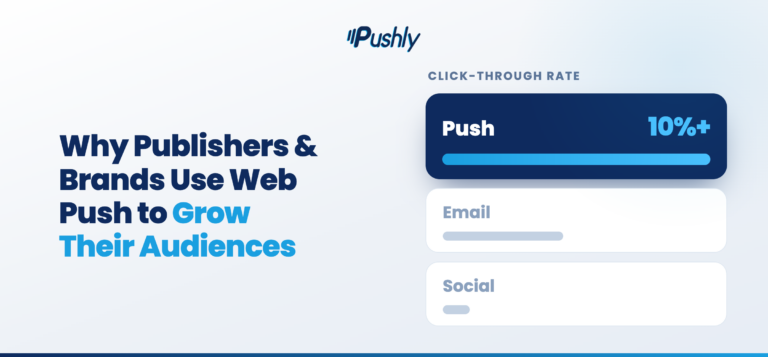
Push notifications for publishers work best as part of a larger audience strategy, not as a replacement for your other channels. Each channel plays a different role. Push stands out for speed, easy opt-in, and direct ownership, while newsletters, SMS, social, and apps each bring strengths of their own. The strongest audience strategies use these channels together, with each one doing the job it does best.
Push notifications vs. newsletters
Newsletters give you room to curate, add voice and context, and package several stories together. They also give you an email address, which supports sponsorships and paid subscription marketing. But readers have to hand over an email address to sign up, and your newsletter competes with everything else in their inbox.
Push notifications ask less of readers and reach them faster, which makes it better suited to timely alerts. Many publishers use both: push for the moment a story breaks, newsletters for the daily or weekly roundup. Push can even promote your newsletter to readers who have not signed up yet.
Push notifications vs. SMS
SMS reaches readers immediately and almost always gets seen, but readers must share their phone numbers cautiously, and they expect very few messages. You also pay carrier and messaging costs as your list grows, and you must follow strict consent rules. Publisher push notifications deliver the same immediacy without collecting a phone number or paying for every text.
Push notifications vs. social
Social platforms help new readers discover you, and they remain valuable for that. But the platform decides how many of your followers see each post, and those decisions can change overnight. Push notifications reach subscribers you own directly. Use social to find new readers and push to keep them coming back.
Push notifications vs. apps
A dedicated app offers the richest experience and gives you the opportunity to send app push notifications. However, readers have to download it first, and most site visitors never will. Building and maintaining an app also takes significant investment. Web push notifications reach readers right from your website, so you can build a push audience from everyone who visits, not just the readers willing to install an app.
Web push | Newsletters | SMS | Social | Mobile apps | |
What readers give to subscribe | One click, no personal information | An email address | A phone number | A follow | A download, plus notification permission |
How fast readers see it | Immediately | Whenever they open their inbox | Immediately | Whenever the feed surfaces it | Immediately |
Who controls reach | You | You | You, within carrier and consent rules | The platform | You |
Best for | Breaking news, new stories, return visits | Curated roundups, deeper relationships, sponsorships | Urgent, high-priority alerts | Discovery and reaching new readers | Your most loyal readers and app-only features |
What should publishers send as push notifications?
Publishers should send notifications that give readers a clear reason to click right now. The best push content is timely, relevant to the subscriber, and worth interrupting their day for. Not every story meets that bar, and readers notice when you send too much. Here are key ways publishers use push notifications in 2026:
Breaking news
Major developments are the core of most publisher push notification strategies. When something happens that your readers need to know about, push gets the story to them faster than any other channel.
Live events and updates
Elections, major sports games, severe weather, and court rulings all unfold over hours or days. Publisher push notifications alert readers at key moments, such as a final score, a called race, or a storm changing direction, and direct the traffic to your live coverage.
Topic-specific stories
When readers subscribe to sections or topics they care about, you can send them stories that match those interests. A reader who follows your local high school sports coverage wants different alerts than a reader who follows national politics.
Exclusives and major features
Investigations, interviews, and in-depth reporting represent some of your most valuable work. Push notifications for publishers put that work in front of readers who might otherwise miss it.
Recurring franchises
Daily puzzles, weekly columns, recipes, and regular series give readers a reason to come back on a schedule. Sending a notification at the same time each day or week helps turn those visits into a habit.
Trending and most-read stories
When a story takes off with your audience, you can share it with subscribers who haven’t seen it yet.
Evergreen content
Explainers, guides, and popular features stay relevant long after you publish them. Resurfacing them at the right moment, such as a tax guide in early spring, brings new value from content you already have.
Video, podcasts, and newsletters
Push notifications can promote your other formats and products, introducing readers to a new episode, a video series, or a newsletter they haven’t joined yet. Send these sparingly so promotional messages don’t crowd out the news readers subscribed for.
Do publishers need an app to send push notifications?
No. Publishers can send push notifications straight from their website using web push, with no app required. Web push and mobile app push often get grouped together, but they work differently:
Mobile app push comes from an app a reader has downloaded and installed. The reader has to find your app in an app store, install it, and then allow notifications. Only readers who complete all of those steps can receive your alerts, and you need a dedicated app to send them in the first place.
Web push comes from your website through the reader’s browser. A reader visits your site, sees a permission prompt, and clicks to allow notifications. From then on, their browser delivers your notifications to their desktop or phone, even when they don’t have your site open. Readers never download anything.
Mobile web push | Mobile app push | |
What readers need | A supported browser | Your installed app |
How readers subscribe | One click on your website | Download the app, then allow notifications |
Who you can reach | Anyone who visits your site | Only readers who install your app |
Where notifications appear | Desktop and mobile | Mobile devices |
What you need to build | A small setup on your existing site | A full app for each platform |
Web push works across the major browsers, including Chrome, Firefox, Edge, and Safari, on both desktop and mobile. Setting it up doesn’t require an engineering project. You add a small piece of code to your site, usually through a web push provider such as Pushly, and you can start collecting subscribers right away.
If you already have an app, web push still fills an important gap. Most of your site visitors will never install your app, and web push notifications for publishers let you reach those readers too. Many publishers run both, using app push for their most dedicated readers and web push for the much larger audience that visits through search, social, and direct traffic.
How do publishers grow push subscribers?
Publishers grow push subscribers by asking the right readers, at the right moment, with a clear reason to say yes. How and when you ask for permission matters. A thoughtful prompt strategy builds a larger audience, and it builds one that actually wants and engages with your notifications.
Here are ways publishers grow push subscribers:
- Time the ask. Prompting readers the second they land on your site often backfires because they haven’t seen your content yet. Showing the prompt after a reader scrolls through an article, visits a second page, or spends time on your site lets you ask readers who have already shown interest.
- Match the prompt to the content. Contextual prompts tie the ask to what the reader is doing right now. A reader following election results is likely to want updates on the race. A reader on a recipe page might want new recipes each week. Prompts that fit the moment feel helpful rather than intrusive.
- Let readers choose their topics. Offering topic or section choices during sign-up gives readers more control and makes the subscription feel personal. It also gives you the information you need to send each subscriber the stories they care about most.
- Plan around big moments. Major news events, elections, championships, and severe weather bring large audiences to your site, so you can be ready when traffic peaks.
- Promote push notifications in your other channels. Your newsletter, social accounts, and homepage can all point readers toward push. Readers who already follow you elsewhere are strong candidates to subscribe.
- Test and refine. Try different prompt copy, designs, timing, and placements, and keep what works. Small changes to your wording or timing can make a meaningful difference in how many readers opt in.
Why do readers unsubscribe, and how do you reduce churn?
Readers unsubscribe when publisher push notifications stop feeling worth the interruption. The good news is that you control most of the factors that drive readers away.
Why readers unsubscribe
Too many notifications. Frequency is the most common reason readers leave. A reader who signed up for major news alerts and then gets a dozen notifications a day will turn them off quickly.
Content that doesn’t match their interests. When notifications feel irrelevant, readers stop seeing the value in staying subscribed.
Poor timing. A notification at midnight or during the early morning hours feels intrusive, especially if you send to readers across multiple time zones without adjusting for their local time.
Clickbait and vague headlines. Readers who click on a notification and find a story that doesn’t deliver on it lose trust in every notification that follows.
How to reduce churn
Set a sensible frequency. Decide how many notifications a subscriber should receive in a day and stick to it. Save urgent alerts for news that truly deserves one, and resist the urge to push every story you publish.
Segment your audience. Send stories based on the topics readers chose at sign-up, the sections they read most, or their location. Relevant publisher push notifications give readers a reason to stay.
Respect readers’ time. Send based on each subscriber’s local time zone, and set quiet hours overnight for anything other than major breaking news.
Offer a preference center. Let readers adjust their topics or how often they hear from you. A reader who can reduce their notifications might stay, while a reader whose only option is to turn everything off will leave.
Write honest, specific notifications. Make every notification accurately reflect the story behind it. Clear, trustworthy headlines earn clicks without costing you subscribers.
Watch for warning signs. Track unsubscribes after each send and look for patterns. If a certain type of notification, time of day, or topic consistently drives readers away, adjust your approach.
How should publishers measure push performance?
Push notifications for publishers are measured across the full reader journey, from how many readers subscribe, to how many click, to what those readers do once they arrive. No single metric tells the whole story. A notification that earns lots of clicks but drives readers to unsubscribe isn’t working, and neither is a fast-growing subscriber list that never engages.
Here are metrics publishers use to track push performance:
- Opt-in rate. This measures the share of readers who subscribe after seeing your permission prompt. Track it by page, device, prompt design, and timing to learn which approaches earn the most subscribers.
- Subscriber growth. Watch your net growth, meaning the new subscribers you gain minus the ones you lose. A healthy push program adds subscribers faster than it loses them.
- Click-through rate. This shows how many recipients clicked a notification. Compare click-through rates across topics, segments, send times, and headline styles to learn what your audience responds to.
- Sessions and pageviews from push. Clicks only matter if readers stay. Track how many pageviews each push session produces, how long readers spend on your site, and whether they continue to other stories. Adding consistent tracking parameters to your notification links lets you follow push traffic in your analytics platform.
- Unsubscribe rate. Track how many subscribers leave after each send and over time. A spike after a particular notification, topic, or time of day signals something to change.
- Revenue impact. Connect push traffic to the outcomes your business cares about, such as ad revenue, newsletter sign-ups, and paid subscription conversions. This shows the value push brings beyond clicks.
Start building your push audience with Pushly
Search and social will always play a role in how readers find you, but they can’t be the only way you reach them. Push notifications for publishers offer a direct, reliable channel to your audience, one that you own and control. Readers subscribe with a single click, receive your stories the moment you publish, and come back to your site again and again.
The publishers who succeed with push treat it as an editorial and audience strategy, not just a distribution tool. They ask for permission thoughtfully, send stories readers actually want, respect their time, and use their results to improve with every send.
Pushly helps publishers do all of that from one platform. You can design permission prompts that grow your subscriber list, segment readers by the topics they care about, automate notifications from your content feeds, and measure how push drives engagement and revenue. All of it works through web push, so you can reach every reader who visits your site without building an app.
Ready to turn your website visitors into a loyal, returning audience? Book a demo with the Pushly team to see how web push can work for your publication.
FAQs
How do marketing teams use push notification platforms to re-engage website visitors?
They prompt visitors to opt in, then send notifications to those browsers after the visitor leaves, with no email or login required. Typical sends bring readers back for new content, remind visitors of something they started, or promote an offer. Web push platforms like OneSignal, Pushly, and PushEngage offer the triggers needed to send content a visitor will read.
How do digital publishers use push notifications to grow subscriber engagement?
They let readers opt in by section, automate sends when new stories land in those sections, reserve breaking alerts for news that earns them, and cut frequency when unsubscribes climb. Pushly is built around content triggers and CMS integration for this, while Airship offers similar depth for brands with apps.
How do digital publishers keep app users engaged with mobile notifications?
With app push tied to logged-in behavior: onboarding flows, lapsed-user sends, and personalization on reading history. This is a different channel from web push, which reaches readers through the browser with no app.
Which mobile notification platforms help publishers increase app session frequency?
The ones that combine behavioral data, send-time optimization, and holdout testing so you can prove which sends cause return sessions. Airship, Pushly, and MoEngage are the strongest fits, while Braze works for large teams with large budgets. Whether you have an app audience or web audience, Pushly powers publishers to drive more total sessions.
Which web push tools support granular customer segmentation and first‑party data?
Tools that build subscriber profiles from on-site behavior and tags you pass from your CMS, then target based on sections read, topics followed, recency, device, and location. Pushly does this on article taxonomy and reading patterns, breaking readers into segments, and offering deep segmentation capabilities.OneSignal is a good alternative to Pushly for segmentation, although it comes with limits on lower plans.
Which web push notification platform works best for lifecycle and retention marketing?
One with journey tooling, frequency caps, and behavioral branching that works for anonymous browser subscribers. Pushly handles this natively with content-driven automation and managed support. OneSignal has a journey builder on paid plans. Braze and Iterable are stronger when web push must sit inside email and SMS flows.
Which push notification platforms are best for news and media publishers?
Platforms that treat editorial content as the trigger, send fast enough for breaking news, integrate with the CMS, and report on sessions and revenue. Pushly has been purpose-built for this since 2017 and offers the deepest features for news and media publishers. Airship is a good alternative for large media brands with big app audiences.