Publishers need traffic that they own. Search referrals swing with every algorithm update, social platforms keep throttling links, and AI answers now resolve many questions before a reader even clicks through. Push notifications for publishers offer a direct line back to their audience: a reader opts in once, and you can bring them back to your site with a single alert.
Choosing the right platform takes more work than it should. Some providers built their products for web publishers from day one. Others treat publishing as a side use case. The differences show up in the details that matter most to newsrooms and media companies: how fast you can send a breaking news alert, how precisely you can segment readers by interest, whether the platform helps you monetize, and how much you pay as your subscriber list grows.
This guide compares the top eight push notification platforms for publishers in 2026. We group them into web push specialists, enterprise multichannel suites, and mobile-first engagement platforms, then show which provider fits each type of publisher, from local newsrooms to B2B trade titles. You’ll also find head-to-head comparisons, a checklist of questions to ask vendors, and the most common mistakes that cost publishers subscribers.
What is a push notification platform for publishers?
A push notification platform is software that lets media companies send clickable alerts directly to readers’ browsers and mobile devices, then track how those alerts drive traffic, engagement, and revenue. Readers opt in once, and the publisher can reach them anytime, even when they aren’t on the site.
Push platforms handle two different channels:
- Web push reaches readers through their desktop or mobile browser and requires no app
- Mobile app push reaches readers who have installed a publisher’s iOS or Android app.
Some providers specialize in one channel, while others cover both alongside email, SMS, and in-app messaging. A general-purpose push tool and a publisher-focused platform differ in the features they prioritize. Publisher push notification platforms typically include:
- CMS and RSS integrations that pull headlines, images, and links straight from your content so editors can send alerts in seconds or automate them entirely
- Breaking news workflows that let newsrooms send high-priority alerts to every subscriber at once without delay
- Interest and topic segmentation that groups readers by the sections, categories, and authors they engage with
- Monetization options that let publishers earn revenue from their push audience, not just traffic
- Traffic and engagement analytics that report on clicks, return visits, and pageviews
Why do publishers use push notifications?
Publishers use push notifications to bring readers back to their sites directly, without relying on search engines, social platforms, or email inboxes. Push notifications for publishers provide an owned channel that reaches readers on desktop and mobile within seconds of hitting send.
Owned traffic and speed
Owned traffic that platforms can’t throttle. Search and social algorithms decide how much referral traffic a publisher gets, and they change those rules without warning. Push subscribers belong to the publisher. You decide what to send, when to send it, and who receives it.
Speed for breaking news. Push notifications for publishers deliver an alert to a reader’s screen the moment news breaks. Readers don’t need to open an inbox or scroll a feed to find the story, which makes push the fastest way for a newsroom to win the first click.
Growth and loyalty
Low-friction opt-in. Readers subscribe to web push with a single click. They don’t hand over an email address, create an account, or download an app, so publishers convert far more anonymous visitors into reachable subscribers.
Habit and loyalty. Regular, relevant alerts turn occasional visitors into returning readers. Each return visit builds familiarity with the brand and moves readers closer to registering, subscribing, or paying.
Revenue and audience data
Revenue from every return visit. Every reader who clicks a push alert generates pageviews, and those pageviews generate ad impressions. Publishers with paywalls or membership programs also use push to nudge engaged readers toward conversion.
First-party audience data. Push platforms show publishers which topics, sections, and authors each subscriber engages with. Publishers use that data to segment audiences, personalize alerts, and inform decisions well beyond push.
Push vs newsletters vs SMS for publishers
Push notifications for publishers, newsletters, and SMS all offer a direct line to readers, but each channel does a different job. Most publishers get the best results by running the channels together:
- Push notifications for publishers drive fast, high-volume return traffic
- Newsletters build deeper relationships and known-reader data
- SMS delivers urgent, personal messages to a smaller, highly committed audience
Push notifications for publishers
Push notifications for publishers win on speed and reach. Readers subscribe with a single click and no personal information, so publishers can build large audiences quickly.
Push works best for breaking news, trending stories, and daily habit-building alerts that send readers straight to an article.
Newsletters
Newsletters typically win on depth and identity. Readers hand over an email address, which gives publishers a known contact they can connect to registrations, subscriptions, and sponsorship deals.
Newsletters suit curated roundups, analysis, and voice-driven content that readers consume in the inbox.
SMS
SMS wins on urgency and attention. Text messages land in a space readers check constantly, but every message carries a send cost and strict consent requirements.
Most publishers reserve SMS for major breaking news, local emergencies, or premium subscriber perks.
Push notifications | Newsletters | SMS | |
Opt-in friction | One click, no personal data | Email address required | Phone number and explicit consent required |
Speed | Instant | Depends on when readers open their inbox | Instant |
Best for | Breaking news, return traffic, daily habits | Curated content, analysis, known-reader relationships | Urgent alerts, premium perks |
Content format | Headline, image, link | Long-form, multiple stories | Short text, link |
Cost to send | Low | Low | High per message |
Primary revenue role | Pageviews and ad impressions | Sponsorships, subscriptions | Retention of high-value readers |
How should a publisher evaluate a push notification provider?
Publishers should evaluate a push notification provider on how well it fits a content-driven business: how fast it sends, how precisely it targets readers, how it supports revenue, and what it costs as your audience grows. A platform built for ecommerce or app retention can look strong in a demo and still fall short for a newsroom.
Editorial workflows and channel coverage
Publisher-specific workflows. Look for CMS and RSS integrations, one-click alert creation from published articles, and automation that sends new stories without manual work. Editors should be able to send a breaking news alert in seconds.
Channel coverage. Decide whether you need web push, mobile app push, or both. Publishers with apps should confirm the platform manages both channels from one dashboard and one subscriber view.
Delivery speed at scale. Ask how quickly the push notification platform delivers an alert to your full subscriber base during a major news event. Slow delivery on breaking news means competitors win the click.
Audience targeting and growth
Segmentation and first-party data. Check whether the platform segments readers by topic, section, author, location, and behavior, and whether it lets you connect push data with your CRM, CDP, or subscription system.
AI and automation. Evaluate how the platform uses AI for send-time optimization, content recommendations, and audience targeting. Ask for specifics on what the AI decides and what your team controls.
Opt-in experience. Review how much control you have over prompt design, timing, and placement. A well-timed, well-designed prompt grows your list without frustrating readers or triggering browser restrictions.
Reporting, pricing, and compliance
Analytics that match publisher goals. Reporting should focus on clicks, return visits, pageviews, and subscriber retention, and it should show which content and segments perform best.
Pricing model. Understand how pricing scales. Some providers charge by subscriber count, others by sends or monthly active users, and the difference adds up quickly as your list grows.
Data ownership and portability. Ask whether you can export your data and what happens if you switch providers. Web push subscriptions depend on technical keys, so migration terms matter before you sign.
Privacy and compliance. Confirm the platform supports consent management and complies with GDPR, CCPA, and other regulations in the markets you serve.
How we chose and evaluated these platforms
We selected platforms that publishers actively use or consider for reader engagement, then evaluated each one on how well it serves a content-driven business. We focused on the outcomes that matter most to publishers: traffic, revenue, and retention.
How we built the shortlist
We started with providers that publishers commonly shortlist for web and mobile push, then narrowed the list to platforms that offer push as a core capability, support publisher use cases, and actively develop their products in 2026. We excluded tools that only offer push as a minor add-on to an unrelated product.
How we grouped the platforms
We sorted the eight platforms into three categories so publishers can compare similar tools side by side. Web push specialists focus on browser-based alerts (on web, mobile, and app) and deep publisher workflows. Enterprise multichannel suites combine push with email, SMS, and in-app messaging for large marketing and CRM teams. Mobile-first engagement platforms center on app audiences and lifecycle messaging.
What we evaluated
We assessed each platform against the criteria in the previous section:
- Publisher workflows
- Channel coverage
- Delivery speed
- Segmentation and first-party data
- AI and automation
- Opt-in experience
- Monetization
- Analytics
- Pricing model
- Data portability
- Privacy compliance
Where our information comes from
We reviewed each provider’s product documentation, public pricing and plan details, feature releases, integrations, and verified user reviews. We also drew on conversations with publishers about how they use push day-to-day.
Our perspective and how we keep this guide current
Pushly publishes this guide, and we include Pushly in the rankings. We built the evaluation around publisher needs rather than our own feature set, and we name the situations where another provider is the better fit.
Push platforms update features and pricing often. We review this guide regularly and update it when providers make significant changes.
8 Push Notification Platforms for Publishers in 2026 Compared on Traffic, Revenue, and Retention
These eight platforms all send push notifications for publishers, but each one approaches it from a different starting point. We grouped them into web push specialists, multichannel customer engagement suites, and mobile-first engagement platforms, then assessed how each one helps publishers grow traffic, earn revenue, and retain readers.
Web push specialists
Web push specialists focus primarily on push notifications for publishers, giving them the fastest path from opt-in to return visit.
Pushly
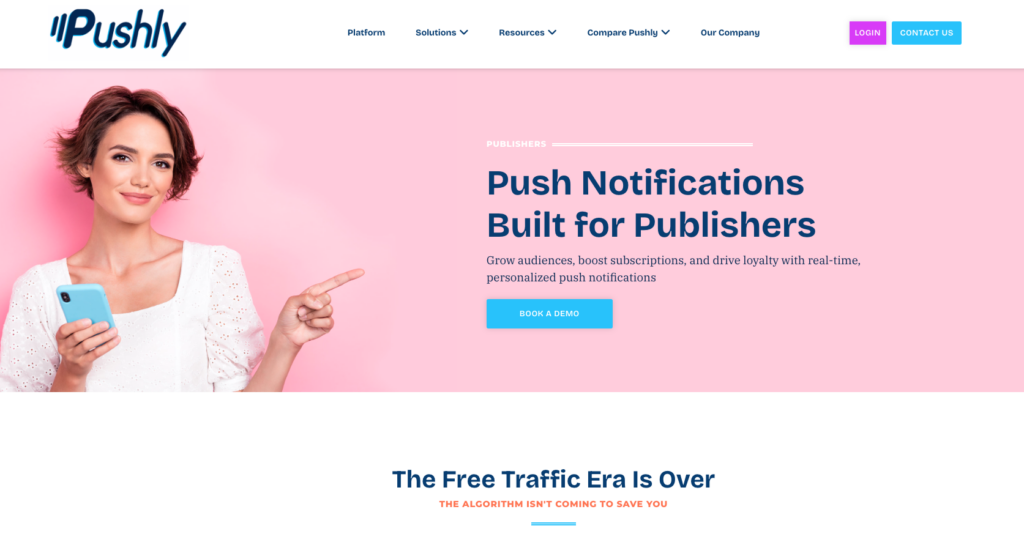
Pushly is an enterprise push notification platform that delivers web push, mobile web push, mobile app push, and in-app messaging from one system. It offers one-click opt-in, behavioral segmentation, automated journeys, send-time optimization, and campaign analytics built in.
Publishers sit at the center of its product, and the company works with premium publishers such as New York Post, Hearst, The Business Journals, and The Advocate, along with media groups like Future, which extended its partnership with Pushly through 2027.
Best for
Publishers of any size that treat push as a core audience channel and want editorial workflows, deep segmentation, and hands-on strategic support in one platform.
How Pushly drives traffic
Pushly connects directly to the way newsrooms publish. Feeds automatically ingest fresh content from your sources to power targeted, timely notifications, and the WordPress plugin lets editors send a push notification when they publish a post and control who receives it.
Publishers control list growth – you decide when and where the opt-in prompt appears, whether after a second pageview, mid-article, or only on chosen pages, and you can A/B test which prompt timing earns more opt-ins. Pushly supports opt-in prompts for web push across Chrome, Firefox, Edge, and Safari, including iOS web push.
Built-in safeguards protect the reader experience on busy news days, including a duplicate send check that warns you before you send a notification pointing to a page you have already sent, plus landing URL validation.
How Pushly reports on revenue
Pushly reports deliveries, clicks, and revenue for every campaign and every segment in one view, so teams can compare sends side by side and see which segments, messages, and send times drive results. For subscription businesses, Pushly supports well-timed, behavior-based prompts that convert casual readers into subscribers, plus triggered messaging that re-engages slipping readers.
Publishers with affiliate and commerce programs can use push to drive affiliate revenue and promote products and services directly to their audience. Media groups that run multiple sites get multi-domain notifications and multi-domain segments, so one team can coordinate sends across a portfolio.
How Pushly improves retention
Pushly targets subscribers by behavior, events, interests, location, device, and interaction history, with segments that update in real time, and marketers build them in a visual editor without engineering help. Local publishers can draw exact geographic regions for targeting with the Custom Geo Segment tool.
Journeys deliver automated, multi-step notification series based on triggers, schedules, and audience criteria, which publishers use for personalized welcome and onboarding series and for churn prevention. Send-time optimization learns when individual subscribers engage and delivers at that moment, while frequency capping limits how many notifications any subscriber receives in a window you set.
AI and automation
Pushly AI analyzes your landing page and generates notification content suggestions, and selecting multiple AI suggestions turns on A/B testing. The newest addition, Pushly AI Curator, scores every article you have published inside a window you choose against what the targeted audience actually reads, and sends the single best one. Editors describe what qualifies and how to rank it, and the Curator makes the choice each time the step runs.
Integrations and mobile
Pushly connects with the tools publishers already use, including Marigold, WordPress, BlueConic, Lytics, Marfeel, Parse.ly, and Pugpig. Publishers with apps get native SDKs for iOS, Android, React Native, and Flutter, plus Live Activity support, and Pushly matches web and mobile push subscribers to a single profile, so segments, triggers, and retargeting work across both channels. Larger teams can manage access with single sign-on through Okta, Google Workspace, or Microsoft Azure AD.
Support and setup
Every plan includes a dedicated strategy team. Setup requires a tag on your site or a lightweight SDK in your app; Pushly’s team handles onboarding, and day-to-day work happens in a marketer-facing platform.
Things to consider
Pushly focuses on push and in-app messaging. Publishers that want email and SMS in the same tool typically pair Pushly with their existing newsletter platform.
OneSignal
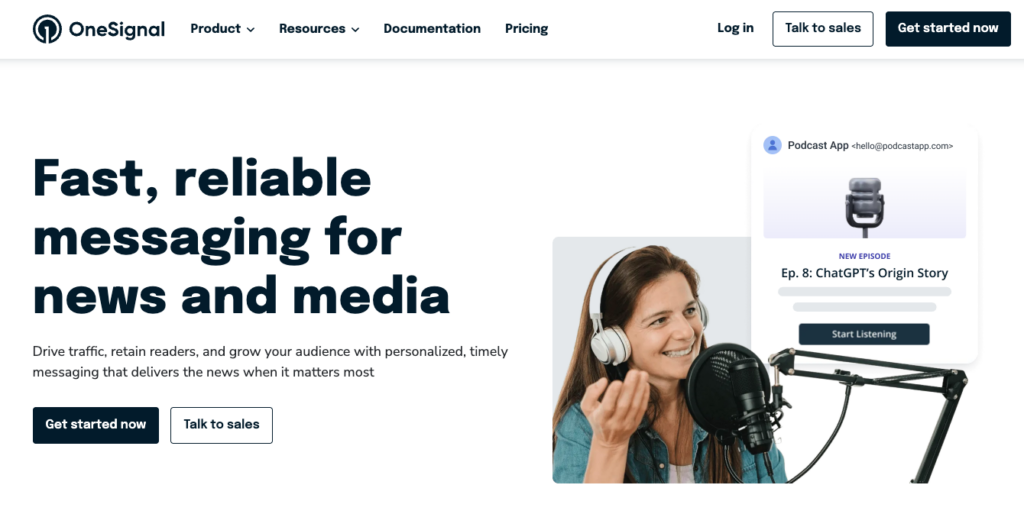
OneSignal is a widely used push platform that offers email, mobile and web push notifications, in-app messaging, and SMS. Its free plan and self-serve setup make it a common first choice for smaller publishers.
Best for: Small and mid-size publishers, especially on WordPress, that want a low-cost, self-serve starting point.
Traffic, revenue, and retention: OneSignal’s WordPress plugin can send notifications to followers every time you publish a new post, and it supports auto-send on publish and UTM tags. The platform includes audience segmentation, real-time analytics, A/B testing, and automated messaging, and it supports a wide range of app frameworks.
Things to consider: OneSignal serves a broad market rather than publishers specifically. On the free plan, you can acquire unlimited web push subscribers, but you can only message a capped number of them per send.
Starting October 1, 2026, OneSignal paused mobile push and in-app messages on the Free plan above a monthly active user limit, while web push and email keep working within Free limits. Paid web push pricing charges based on subscribers with unlimited sends, so costs rise as your list grows.
PushEngage
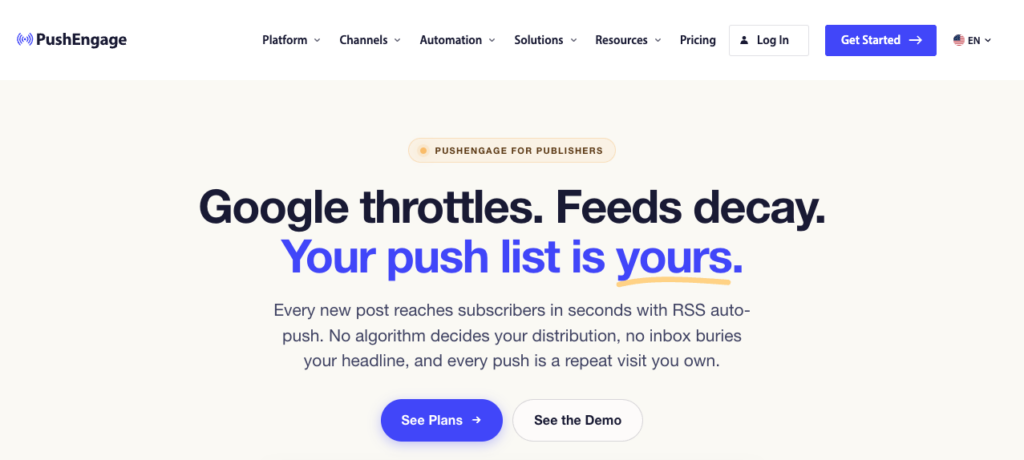
PushEngage started as a WordPress-friendly web push tool and has expanded into multichannel engagement across web push, app push, and WhatsApp from a single dashboard.
Best for: WordPress publishers and independent sites that want simple setup and content automation without technical work.
Traffic, revenue, and retention: PushEngage lets editors create and send push campaigns directly from the WordPress post editor, auto-fetching the post title, excerpt, and featured image, and its RSS Auto-Push automatically converts new blog posts into push notifications. The plugin can automatically turn WordPress blog categories into segments for retargeting, and it supports AMP and PWA web push. Publishers running several sites can manage multiple WordPress sites from a single PushEngage account.
Things to consider: PushEngage’s recent development leans toward ecommerce, with cart abandonment recovery, browse abandonment, price drop alerts, and back-in-stock notifications leading its feature set. Advanced segmentation, A/B testing, and drip campaigns require upgrading from the free plan. Larger publishers should ask about delivery speed for big lists, since one reviewer noted that very large sends take a few minutes.
Enterprise multichannel suites
These platforms coordinate push alongside email, SMS, and in-app messaging. They suit publishers with dedicated CRM or lifecycle teams.
Braze
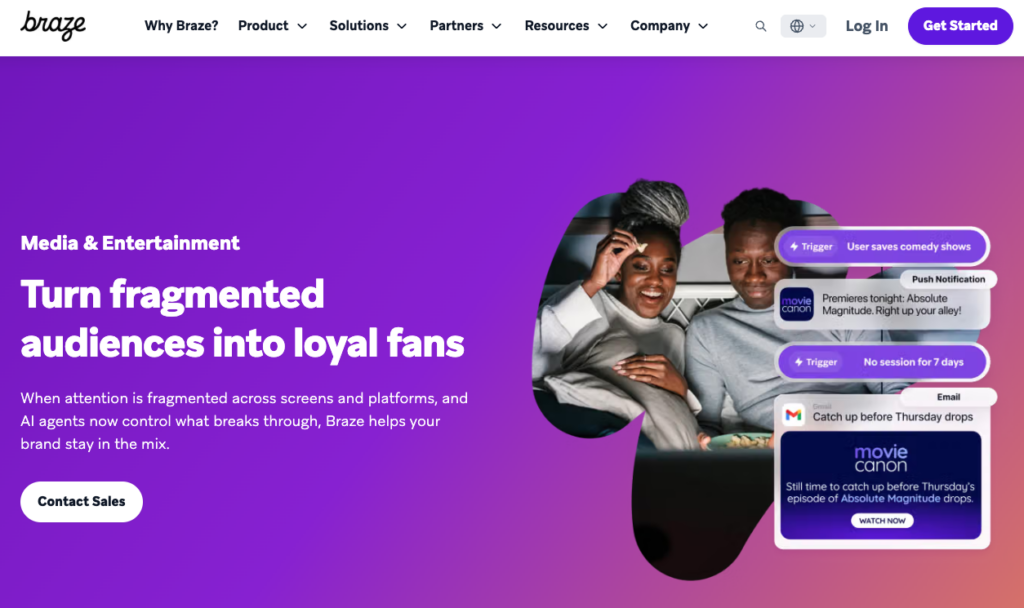
Braze orchestrates personalized, real-time messaging across email, push notifications, in-app messages, SMS, WhatsApp, and web. Its journey tool, Canvas, starts when someone matches your trigger condition and moves them along a path until they meet your exit conditions.
Best for: Publishers with apps, paid subscription programs, and data or CRM teams that run lifecycle marketing across many channels.
Traffic, revenue, and retention: Braze sends mobile and web push from the same campaigns and Canvases, and it adds on-site formats like Banners and Content Cards. Its AI suite covers Predictive Churn, item recommendations from a catalog, Intelligent Timing and Intelligent Channel, and Decisioning Studio, which maximizes a business metric with one-to-one decisions on offers, channels, and timing.
In September 2026, Braze made its Push Performance dashboards generally available, giving a channel-wide view of performance and deliverability across campaigns and Canvases.
Things to consider: Braze delivers the most value when a publisher has the engineering and data resources to implement it fully. Editorial workflows such as auto-sending alerts from a CMS feed typically require custom setup, and pricing is quote-based.
Iterable
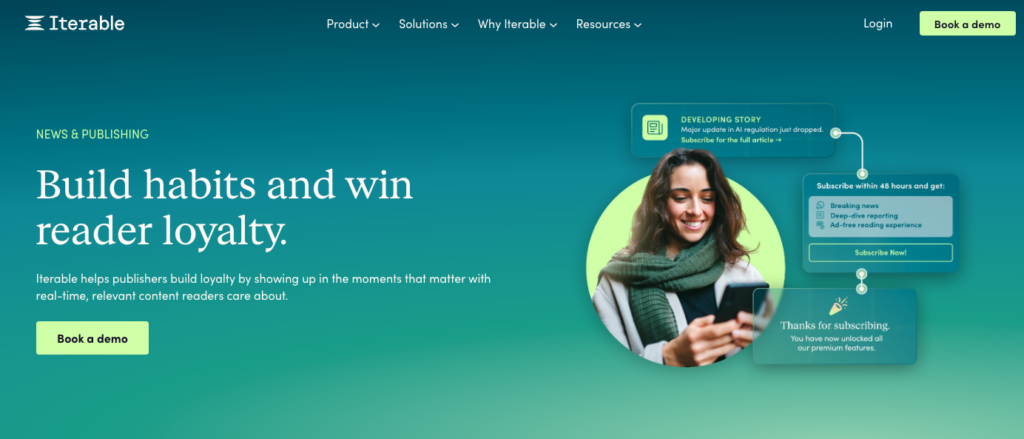
Iterable coordinates email, SMS, push, in-app, and web push messaging from unified customer data. Its email strength makes it a natural fit for publishers whose newsletters drive the business.
Best for: Newsletter-heavy publishers that want email and push in one journey builder.
Traffic, revenue, and retention: Iterable’s Journeys builder offers branching logic, A/B testing, and frequency capping without engineering support, and Journey Assist lets marketers create or enhance journeys with prompt-based AI.
Brand Affinity labels contacts based on their sentiment toward your brand, as determined by their interactions with your emails, push notifications, and in-app messages, which helps publishers spot readers at risk of lapsing. Predictive audiences highlight the readers most likely to convert, and AI also optimizes send time, frequency, and channel for each reader.
Things to consider: Iterable grew as an email-first platform, so push is one channel among several. Publisher-specific push workflows, such as RSS-triggered breaking news alerts, usually require custom configuration, and pricing is quote-based.
Mobile-first engagement platforms
These platforms center on app audiences. They fit publishers whose most loyal readers live inside a native app.
Airship
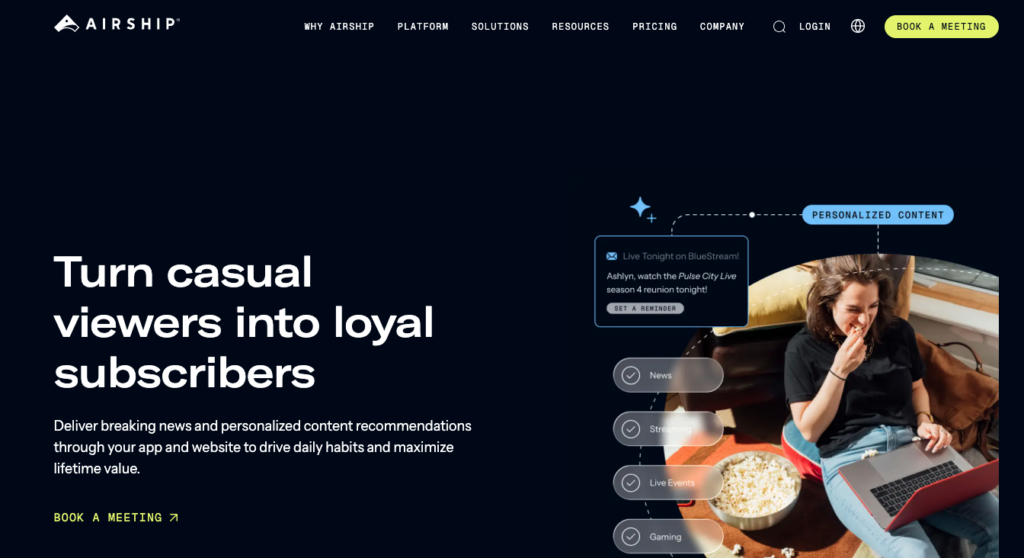
Airship has powered app push for media companies for years. Its platform covers journeys, channel coordination, audience segmentation, holdout experiments, A/B testing, and feature flags.
Best for: Broadcasters and national news organizations whose apps drive loyalty and subscriptions.
Traffic, revenue, and retention: Airship lets teams create native experiences once and deploy them to the app, web, and beyond without developers, and it supports iOS Live Activities for live scores, elections, and developing stories. Airship unveiled AI agents to speed delivery of customer experiences, and its acquisition of Gummicube added app store optimization, which helps publishers grow app installs alongside engagement.
Things to consider: Airship’s strengths sit in the app. Publishers that rely mostly on web traffic will use only part of what they pay for.
CleverTap
CleverTap combines product analytics with engagement and lets brands deliver messages across web push, in-app, email, SMS, WhatsApp, and more.
Best for: Video, streaming, and app-centric media brands, especially in Asia-Pacific markets.
Traffic, revenue, and retention: OTT and media platforms use CleverTap to deliver personalized content recommendations, automate new-release alerts, and re-engage dormant viewers. Its AI suite, CleverAI, combines predictive, generative, and agentic AI, and Scribe generates message copy across push, web push, email, and WhatsApp.
Things to consider: CleverTap builds around app analytics and consumer brand use cases. Text-based news publishers may find its editorial content workflows thinner than those of publisher-focused tools.
MoEngage
MoEngage runs campaigns across email, push, SMS, WhatsApp, in-app, web push, and cards, with cross-channel journeys, A/B splits, and real-time triggers.
Best for: App-first publishers in markets with heavy Android usage.
Traffic, revenue, and retention: Merlin AI powers send-time optimization, predictive segments, A/B testing, and AI-generated copy. In April 2026, MoEngage introduced a Campaign Insight Agent that translates push and email campaign metrics into plain-language explanations and next steps. Its Push Amplification feature targets better delivery on Android devices, which matters for publishers with large Android audiences.
Things to consider: MoEngage’s case studies and feature set lean toward ecommerce and consumer apps. Web push is one channel among many rather than the focus.
Push notification platforms for publishers: comparison table
This table compares all eight publisher push notification platforms on the factors that matter most: channel coverage, content workflows, targeting, and the tools each one offers for revenue and retention.
Web push specialists
Channels | Publisher content workflows | Segmentation and AI | Revenue and retention tools | Best for | |
Pushly | Web push, mobile app push, in-app messaging, Live Activities | Feeds ingest content automatically; WordPress post-editor sends; AMP opt-in prompts; duplicate send check; multi-domain sends | Real-time segments by behavior, interest, location, device, and history; custom geo drawing; Pushly AI content generation; AI Curator | Revenue reporting by campaign and segment; subscription nudges; churn prevention journeys; affiliate and commerce sends; dedicated strategy team | Publishers of any size that treat push as a core audience channel – from enterprise to mid-market and small business clients |
OneSignal | Web push, mobile push, in-app, email, SMS | WordPress auto-send on publish with UTM tags | Audience segmentation, A/B testing, journeys | Automated messaging; no native publisher monetization | Small and mid-size publishers wanting a self-serve start |
PushEngage | Web push, app push, WhatsApp | WordPress post-editor sends; RSS Auto-Push; auto segments from blog categories; multi-site management | Category-based segments; A/B testing and advanced segments on paid plans | Welcome and drip campaigns; ecommerce automations | WordPress publishers and independent sites |
Enterprise multichannel suites
Channels | Publisher content workflows | Segmentation and AI | Revenue and retention tools | Best for | |
Braze | Web push, mobile push, in-app, email, SMS, WhatsApp, Content Cards, Banners | Editorial feed workflows require custom setup | BrazeAI predictive churn, item recommendations, Intelligent Timing and Channel | Decisioning Studio for offers and conversions; Canvas lifecycle journeys | Publishers with apps, subscriptions, and CRM teams |
Iterable | Web push, mobile push, in-app, email, SMS | Editorial feed workflows require custom setup | Brand Affinity sentiment labels; predictive audiences; send time and frequency optimization | Journeys with AI-assisted building; strong email for newsletters | Newsletter-heavy publishers |
Mobile-first engagement platforms
Channels | Publisher content workflows | Segmentation and AI | Revenue and retention tools | Best for | |
Airship | Mobile push, web, in-app, Live Activities | No-code native app experiences; editorial feeds require setup | Audience segmentation; AI agents; holdout and A/B experiments | App store optimization; feature flags; app journeys | Broadcasters and national news apps |
CleverTap | Mobile push, web push, in-app, email, SMS, WhatsApp | Content recommendations and new-release alerts for app media | CleverAI predictive, generative, and agentic AI; Scribe copywriting | Dormant viewer re-engagement; product analytics | Video, streaming, and app-centric media |
MoEngage | Mobile push, web push, in-app, email, SMS, WhatsApp, cards | General campaign tools; editorial feeds require setup | Merlin AI send-time optimization, predictive segments, AI copy | Flows journeys; Push Amplification for Android delivery; Campaign Insight Agent | App-first publishers with large Android audiences |
What questions should a publisher ask vendors?
Publishers should ask vendors how the platform handles editorial workflows, breaking news delivery, audience data, revenue reporting, and long-term costs. The right questions expose the gap between a polished demo and how the tool performs on a real news day.
Editorial workflows
- How do editors send an alert from our CMS?
- Can you automate alerts from our RSS feeds or content sources?
- What stops us from sending the same story twice?
Delivery and reliability
- How quickly do you deliver an alert to our full subscriber list?
- Which browsers and devices do you support, including iOS web push?
Audience growth and data
- How much control do we have over the opt-in prompt?
- How do you segment readers?
- Can we connect push data with our CDP, CRM, or subscription system?
- Who owns our subscriber list, and can we take it with us if we leave?
AI and automation
- What does your AI actually decide, and what do we control?
Revenue and reporting
- How do you report on revenue, not just clicks?
- What monetization options do you offer, and how do they affect the reader experience?
Pricing and support
- How does pricing change as our list grows?
- What does onboarding and ongoing support look like?
- Can we talk to a publisher like us that uses your platform?
Which provider is right for your type of publisher?
The right push notification provider depends on how your audience reaches you, how fast your newsroom publishes, and whether your loyal readers live on the web, in an app, or in the inbox. Here’s our recommendation for each publisher type.
Local and regional news
Recommended: Pushly
Runner-up: OneSignal
Pushly lets local newsrooms draw exact geographic regions for targeting, automate alerts from content feeds, and reach readers within seconds of a story breaking. OneSignal works well for smaller local outlets on WordPress that want a low-cost, self-serve way to start.
National and international news
Recommended: Pushly
Runner-up: Airship
Pushly combines real-time segmentation, breaking news workflows, and safeguards like duplicate send checks, all on a platform that matches web and app subscribers to one profile. Airship suits national outlets whose native apps drive most of their loyalty, especially for Live Activities during elections and live events.
Magazines and lifestyle media
Recommended: Pushly
Runner-up: Iterable
Pushly segments readers by the topics and sections they engage with, supports affiliate and commerce sends, and integrates with Pugpig for publishers running digital editions. Iterable fits magazine brands that rely heavily on newsletters and want email and push in a single journey builder.
B2B and trade publications
Recommended: Pushly
Runner-up: Iterable
Pushly connects push data with CDPs like BlueConic and Lytics, and its multi-domain notifications and segments let one team manage alerts across a portfolio of trade titles. Iterable works well for B2B publishers whose business runs on known-reader email programs and who want push as a supporting channel.
Broadcasters with digital properties
Recommended: Pushly
Runner-up: Airship
Pushly delivers web push, mobile app push, in-app messaging, and Live Activities from one platform, so broadcasters can reach both website visitors and app users with the same segments. Airship fits broadcasters whose strategy centers almost entirely on the app, with no-code tools for building native app experiences.
Newsletter-first and creator media
Recommended: OneSignal
Runner-up: Pushly
OneSignal gives independent creators a free starting point, auto-sends alerts when new posts publish on WordPress, and includes email in the same tool. Creator-led brands that grow into larger audiences and need deeper segmentation, journeys, and hands-on strategy should move to Pushly.
Pushly vs other push platforms: direct comparisons for publishers
Is Pushly or OneSignal better for publishers?
Pushly is the better choice for publishers that treat push as a core audience channel and need editorial workflows, real-time segmentation, and a dedicated strategy team. OneSignal is the better choice for smaller publishers that want a free, self-serve starting point and email in the same tool.
Factor | Pushly | OneSignal |
Focus | Publishers, plus commerce brands | Broad market across industries |
Content workflows | Feeds, WordPress post-editor sends, duplicate send check | WordPress auto-send on publish |
Segmentation | Real-time segments by behavior, interest, location, device, and history; custom geo drawing | Audience segmentation and A/B testing |
AI | Pushly AI content generation; AI Curator | Automated messaging and journeys |
Support | Dedicated strategy team on every plan | Self-serve, with higher support tiers on annual plans |
Read the full comparison: Pushly vs OneSignal for publishers
Is Pushly or PushEngage better for publishers?
Pushly is the better choice for news and media organizations that need high-volume publishing workflows, deep segmentation, and support across web and app. PushEngage is the better choice for WordPress-based independent sites that want simple setup and basic content automation at a low entry cost.
Factor | Pushly | PushEngage |
Focus | Publishers, plus commerce brands | WordPress and WooCommerce sites, with an ecommerce lean |
Channels | Web push, mobile app push, in-app, Live Activities | Web push, app push, WhatsApp |
Content workflows | Feeds, WordPress post-editor sends, multi-domain sends | WordPress post-editor sends, RSS Auto-Push |
Segmentation | Real-time behavioral segments; custom geo drawing; CDP integrations | Auto segments from blog categories; advanced segments on paid plans |
Support | Dedicated strategy team on every plan | Plan-based support |
Is Pushly or Airship better for media companies?
Pushly is the better choice for media companies that drive most of their audience through the web and want web and app push managed from one subscriber profile. Airship is the better choice for media companies whose strategy centers on the native app and who want no-code tools to build in-app experiences.
Factor | Pushly | Airship |
Primary strength | Web push, with mobile app push and in-app | Native app engagement |
Content workflows | Feeds, WordPress post-editor sends, duplicate send check | No-code app experiences; editorial feeds require setup |
Live events | Live Activities support | Live Activities support |
Extras | Multi-domain sends for portfolios | Feature flags, holdout experiments, app store optimization |
Support | Dedicated strategy team on every plan | Plan-based support |
Read the full comparison: Pushly vs Airship for media companies
Is Pushly or Braze better for publishers?
Pushly is the better choice for publishers that want push notifications to drive traffic and retention with publisher-specific workflows and no heavy implementation. Braze is the better choice for publishers with large CRM and data teams that need to coordinate push alongside email, SMS, WhatsApp, and in-app messaging in one lifecycle program.
Factor | Pushly | Braze |
Focus | Push and in-app messaging for publishers | Cross-channel customer engagement |
Channels | Web push, mobile app push, in-app | Web and mobile push, in-app, email, SMS, WhatsApp, Content Cards, Banners |
Content workflows | Feeds and WordPress sends out of the box | Editorial feed workflows require custom setup |
AI | Pushly AI content generation; AI Curator (closed beta) | BrazeAI predictive churn, recommendations, Intelligent Timing, Decisioning Studio |
Implementation | Tag or lightweight SDK; Pushly team handles onboarding | Typically requires engineering and data resources |
Read the full comparison: Pushly vs Braze for publishers
Is OneSignal or PushEngage better for WordPress publishers?
PushEngage is the better choice for WordPress publishers that want built-in content automation, including RSS Auto-Push and segments created from blog categories. OneSignal is the better choice for WordPress publishers that want a free plan with no cap on total subscribers and email alongside push.
Factor | OneSignal | PushEngage |
WordPress publishing | Auto-send on publish with UTM tags | Post-editor sends with auto-fetched title, excerpt, and image |
Content automation | Auto-send on publish | RSS Auto-Push |
Segmentation | Audience segmentation and A/B testing | Auto segments from blog categories; advanced segments on paid plans |
Other channels | Mobile push, in-app, email, SMS | App push, WhatsApp |
Free plan | Unlimited web push subscribers, with a cap on recipients per send | Push broadcasts, subscription popups, and basic segmentation |
Common publisher mistakes with push
Most push notifications for publishers fail because of strategy, not technology. Publishers lose subscribers when they prompt too early, send too often, or treat every reader the same. Avoid these common mistakes to protect your list and keep readers clicking.
Opt-in and growth mistakes
Prompting on the first pageview. A prompt that appears the moment a page loads asks for commitment before the reader sees any value. Wait until a visitor shows interest, such as a second pageview, a scroll milestone, or a finished article.
Ignoring new subscribers. The first few days after opt-in shape whether a reader stays. Send a welcome message and an onboarding series that introduces your best coverage and sets expectations.
Sending mistakes
Sending too often. Readers who feel bombarded block push notifications at the browser level, and you lose them for good. Set frequency caps, reserve high-priority sends for genuinely important stories, and watch unsubscribe trends after heavy news cycles.
Sending every alert to every subscriber. A sports fan and a business reader want different stories. Segment by topic, section, location, and reading behavior so each alert feels relevant to the person who receives it.
Treating push as a breaking news channel only. Breaking news drives big spikes, but daily habit drives retention. Use automated feeds, recommended stories, and welcome series to keep readers coming back between major events.
Writing weak notification copy. A vague headline wastes your moment on the reader’s screen. Write clear, specific copy that tells readers exactly why the story matters, and A/B test headlines and images.
Sending duplicate or broken alerts. Two alerts for the same story or a link to a broken page erode trust fast. Use duplicate send checks and landing URL validation, and confirm links before you send.
Measurement and platform mistakes
Measuring clicks instead of outcomes. Clicks show attention, not value. Track return visits, pageviews per session, subscription conversions, and revenue by campaign and segment.
Choosing a platform without checking portability. Web push subscriptions depend on technical keys tied to your provider. Confirm data ownership and migration terms before you sign so you never lose your list in a switch.
Running push in isolation. Push notifications for publishers work best alongside newsletters, apps, and your subscription funnel. Connect push data with your CRM or CDP so every channel benefits from what readers tell you through their clicks.
Start Turning Readers Into Return Visitors
The best push notification platform for your publication depends on where your audience lives and how your newsroom works. Web push specialists like Pushly give publishers the fastest path from opt-in to return visit. Multichannel suites like Braze and Iterable fit organizations with large CRM teams running email, SMS, and push notifications for publishers together. Mobile-first platforms like Airship, CleverTap, and MoEngage serve publishers whose most loyal readers live inside an app.
For most publishers, push works best when it runs on a platform designed around publishing: content feeds that automate alerts, segmentation that reflects what readers actually read, reporting that ties sends to revenue, and a team that understands how newsrooms operate. That’s the combination Pushly delivers across web push, mobile app push, and in-app messaging, with a dedicated strategy team on every plan.
Search and social will keep changing the rules. Push notifications for publishers offer a direct line to readers that you own. Choose a platform that helps you grow that line, keep readers engaged, and turn one-time visitors into loyal subscribers. Ready to see how Pushly works for your publication? Book a demo and talk with our team about your audience goals.
FAQs about push notifications for publishers
How do marketing teams use push notification platforms to re-engage website visitors?
Marketing teams use push notification platforms to bring visitors back to a website after they leave, without needing an email address or app download. Visitors opt in with a single click, and teams then send alerts tied to new content, reader interests, or past behavior. Platforms like Pushly automate this with content feeds, behavior-triggered journeys, and send-time optimization, so each reader receives relevant alerts at the moment they’re most likely to engage.
How do web push notifications help publishers reduce audience churn?
Web push notifications reduce churn by giving publishers a direct, recurring reason for readers to return. Publishers spot readers whose engagement is slipping and send them personalized alerts on the topics they read most. Automated journeys, such as welcome series for new subscribers and re-engagement sends for lapsing readers, turn occasional visitors into habitual ones. Push specialists support this with real-time behavioral segments and journeys built specifically for churn prevention.
How do digital publishers use push notifications to grow subscriber engagement?
Digital publishers grow subscriber engagement by sending timely, relevant alerts that match each reader’s interests. They segment subscribers by topic, section, location, and reading behavior, then pair breaking news alerts with daily recommended stories and onboarding series. Publishers also use push to nudge engaged readers toward registrations, newsletter sign-ups, and paid subscriptions. Measuring return visits and conversions by segment shows which alerts build lasting engagement.
Which push notification platforms support AI-driven targeting for web and mobile?
Pushly, Braze, Iterable, and MoEngage all offer AI features for web and mobile engagement. Pushly uses AI to generate notification content and offers send-time optimization, and its recently released AI Curator picks the best article for each audience segment based on what those readers engage with. Braze offers predictive churn and Intelligent Timing, Iterable offers Brand Affinity and predictive audiences, and MoEngage offers Merlin AI.
Which web push tools support granular customer segmentation and first-party data?
Granular segmentation in web push means targeting on what an anonymous reader does on your site: sections read, topics followed, recency of engagement, device, and location, plus any attributes passed from your CMS or data layer. The tools that do this without requiring a login are the web push specialists. Pushly builds a first-party profile from reading behavior and segments on it directly. OneSignal supports data tags and segments, with the number of each capped on lower plans. PushEngage supports segmentation by section and subscriber attribute, suited to smaller sites.
How do mobile app notifications affect subscriber engagement and churn?
Mobile app notifications increase engagement when they deliver relevant, timely content, and they increase churn when readers find them irrelevant or excessive. Readers who receive alerts tailored to their interests open the app more often and build a daily habit. Readers who receive too many generic alerts turn off notifications or delete the app entirely. Publishers protect engagement by segmenting app users by interest, capping frequency, and using formats like Live Activities for live events.
How do marketers boost engagement using web push notifications without annoying users?
Marketers boost engagement without annoying users by sending fewer, better-targeted notifications at the right moments. They prompt for opt-in only after a visitor shows interest, segment subscribers by topic and behavior, and set frequency caps so no reader feels bombarded. Send-time optimization delivers each alert when an individual subscriber is most likely to engage, and clear, specific copy tells readers exactly why the alert matters.
How do web push notifications impact subscriber retention for digital publishers?
Web push notifications improve subscriber retention by giving publishers a direct, owned way to bring readers back without relying on search or social platforms. Regular, relevant alerts build a reading habit, and each return visit strengthens the reader’s connection to the brand. Publishers retain more subscribers when they welcome new opt-ins with an onboarding series, personalize alerts by interest, and re-engage readers whose activity is slipping.