Choosing between web push, mobile push, and in-app notifications for your ecommerce retention program comes down to one question: which combination reaches your shoppers when purchase intent is highest? Each channel carries different strengths for cart recovery, lifecycle campaigns, and revenue attribution. Web push notification platforms like Pushly give you all three channels from a single dashboard built for ecommerce teams.
This comparison breaks down how Pushly, OneSignal, and Klaviyo handle personalization, revenue attribution, and channel coverage so your retention team can make a confident platform decision.
Key Takeaways: Pushly vs OneSignal vs Klaviyo
- Pushly delivers enterprise-grade, AI-powered web push, mobile push, and in-app notifications with built-in revenue attribution for ecommerce
- OneSignal offers multi-channel messaging, but limits ecommerce-specific triggers to custom API development
- Klaviyo focuses on email and SMS, with mobile push as a newer add-on that does not include web push
- Pushly connects every notification directly to revenue using last-click, view-through, and incremental lift methods
- Cart recovery, browse abandonment, and lifecycle triggers determine which platform mix fits your retention goals.
Pushly vs OneSignal vs Klaviyo: Overview
What is Pushly?
Pushly is an enterprise audience engagement and push notification platform built for ecommerce retailers and publishers who want to turn anonymous traffic into owned audiences. The platform serves a wide range of industries and covers web push, native mobile push, and in-app messaging from a single dashboard. For retailers, Pushly offers commerce-specific automations for cart recovery, browse abandonment, price-drop alerts, and back-in-stock notifications.
Pushly key features
AI-powered segmentation: Builds precise audience groups from real-time shopper behavior and first-party data
Cart recovery automation: Fires triggered notifications in minutes of abandonment with product details pulled from your catalog
Revenue attribution: Tracks last-click, view-through, and incremental lift to connect every notification to actual revenue
Cross-channel delivery: Reaches subscribers across web, native iOS, native Android, and in-app from one platform
A/B testing: Tests message variants and sends the higher-performing option to the remaining audience
Lightweight add, not rip and replace: Connect through Google Tag Manager, Tealium, or a direct JavaScript SDK, along with other ways. Typical setup is under a day with no app store submission, and no engineering sprint required
Stack integration: Pushly easily integrates with your existing stack: from Shopify, WooCommerce, BigCommerce, Salesforce, and WordPress, to other platforms
Intelligent frequency controls: Balances engagement volume with subscriber health to protect long-term retention
Pushly pros and cons
Pros:
- Pushly goes live in under one month on average, with white-glove onboarding and dedicated account management included
- Revenue attribution ties every ecommerce push notification send back to measurable outcomes, giving your team clear ROAS visibility
- Pushly’s behavior-based triggers run on real shopper signals, so notifications feel helpful rather than interruptive
Cons:
- Advanced A/B testing features require initial guidance from the onboarding team to configure optimally
What is OneSignal?
OneSignal is a messaging platform that supports push, email, and SMS. It serves a broad range of industries and use cases, from app developers to marketing teams building cross-platform notification campaigns.
OneSignal key features
Multi-platform delivery: Sends push, email, and SMS from a single dashboard
Audience segmentation: Groups subscribers by tags, device type, language, and last-session activity
Journeys automation: Allows multi-step messaging workflows triggered by user events or time delays
Integration architecture: Offers developer-focused SDKs for custom integration across platforms and frameworks
OneSignal pros and cons
Pros:
- Supports a wide range of messaging channels from a single interface, which works for teams managing both apps and websites
- The free tier allows up to 10,000 web push subscribers, making it accessible for initial testing, though advanced personalization features are restricted to the Professional plan
- Developer documentation is extensive, with SDKs covering most popular frameworks and languages
Cons:
- Ecommerce-specific triggers like cart recovery and price-drop alerts are not available as native automations without custom API work
- Revenue attribution reporting is not built into the platform, so teams must configure external analytics tools to measure ROAS
What is Klaviyo?
Klaviyo is a platform primarily known for email and SMS marketing in the ecommerce space. It recently added mobile push notifications as a channel, targeting ecommerce brands that already use Klaviyo for lifecycle marketing flows.
Klaviyo key features
Email and SMS flows: Builds automated lifecycle sequences triggered by purchase, browse, and cart events
Customer data platform: Collects and unifies purchase, browse, and engagement data across channels
Ecommerce integrations: Connects natively with Shopify, WooCommerce, and other platforms
Predictive analytics: Estimates customer lifetime value and churn risk based on historical purchase data
Klaviyo pros and cons
Pros:
- Deep native integrations with Shopify and other ecommerce platforms pull product and order data automatically
- Predictive models for customer lifetime value and next purchase date inform segmentation decisions
- Email and SMS automation templates cover common ecommerce lifecycle events out of the box
Cons:
- Web push notifications are not supported. Mobile push was introduced recently and does not include the same depth of automation triggers available for email
- Push notifications require a native mobile app with the Klaviyo SDK installed, which excludes brands without native apps
Pushly vs OneSignal vs Klaviyo: In-depth comparison
There are a number of features to explore when comparing web push notification platforms:
Personalization and segmentation
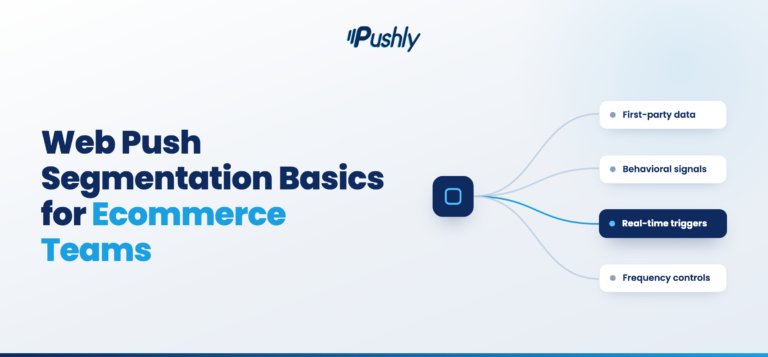
Pushly and Klaviyo both build segments from first-party ecommerce data like cart activity, purchase history, and browsing behavior. The difference is channel reach. Pushly applies that segmentation across web push notifications, mobile push notifications, and in-app messaging, while Klaviyo is one of the web push notification platforms that reserves push personalization for mobile app users only.
OneSignal offers tag-based segmentation that works across channels, but creating ecommerce-specific segments like “abandoned cart in the last hour” requires custom event tracking through the API. Pushly handles this natively with pre-built commerce triggers.
Cart recovery and lifecycle triggers
Cart recovery is the single highest-revenue automation for programs sending ecommerce push notifications. A MobiLoud analysis of 500,000 push notifications found that behavior-based campaigns, including cart recovery and browse abandonment, consistently outperform standard promotional sends in click-through rates and conversions.
Pushly fires cart abandonment notifications in minutes and includes product images, names, and a direct link back to the cart. Klaviyo offers cart recovery flows for email and SMS, but does not extend them to web push. OneSignal can trigger cart recovery through its API, but the notification template and product data mapping must be built manually.
Revenue attribution and ROAS
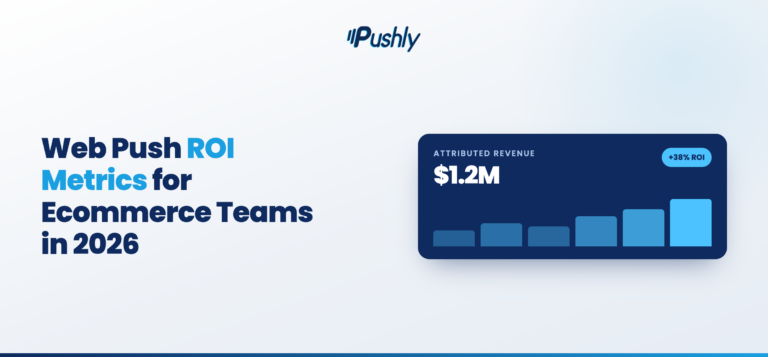
Pushly tracks revenue at the campaign and automation level using last-click, view-through, and incremental lift attribution. This means your retention team can report exactly how much revenue each cart recovery or win-back sequence generated.
According to Pushly’s ecommerce revenue data, a well-configured push program can generate hundreds of thousands in incremental annual revenue. Klaviyo attributes revenue to email and SMS sends, but does not yet attribute revenue to push notifications independently. OneSignal does not include native revenue attribution.
Channel coverage for ecommerce
Pushly covers ecommerce web push, native iOS, native Android, and in-app messaging. This combination reaches shoppers whether they are browsing your site on desktop, using your mobile app, or receiving a lock-screen notification on their phone.
Some web push notification platforms like OneSignal cover the same channels on paper, but OneSignal’s ecommerce automation depth is thinner than Pushly’s. Klaviyo adds mobile push to its email and SMS stack but does not offer web push at all, leaving desktop and mobile browser audiences unreachable through the platform.
Implementation speed and support
Pushly’s average go-live time is under one month. The platform includes white-glove onboarding with a dedicated account manager who configures your initial automations, segments, and campaign strategy. According to G2 data, Pushly earns a 100% customer partnership rating.
OneSignal is self-serve and API-driven, which means implementation speed depends on your engineering team’s availability. Klaviyo onboarding for push requires building and publishing a mobile app with the Klaviyo SDK, which can extend timelines depending on development resources.
Comparison table: The top notification platform for ecommerce retention
Feature | Pushly | OneSignal | Klaviyo |
Web push notifications | ✓ | ✓ | ✗ |
Native cart recovery automation | ✓ | ✗ | ✗ (email/SMS only) |
Built-in revenue attribution | ✓ | ✗ | ✗ (push only) |
Average go-live time | Less than 1 month | 1 month | 2+ months (requires app) |
AI-powered send optimization | ✓ | ✓ (Professional plan) | ✗ |
Dedicated account management | ✓ | ✗ | ✗ |
Why Pushly is the best for ecommerce retention
If your goal in evaluating these web push notification platforms is to recover abandoned carts, re-engage lapsed shoppers, and measure the revenue impact of every notification you send, Pushly gives you the tools to do all three from a single platform. The combination of web push, mobile push, and in-app messaging means you reach your audience wherever they are.
Pushly connects notification engagement directly to revenue outcomes. Your retention team sees exactly which automations drive purchases, which segments convert, and where to allocate budget for the highest return. That clarity is what separates a notification channel from a revenue infrastructure.
Ready to see how much revenue your push channel can generate? Book a demo with Pushly and let us map out your tailored implementation plan.
FAQs: Web Push vs. In-App Notifications for Ecommerce
What is the difference between web push and in-app notifications?
Web push notifications reach subscribers through their browser, even when they are not on your website. In-app notifications appear only when a user is actively inside your mobile app. Pushly supports both channels, which means you can engage shoppers regardless of where they are in their browsing session.
Do I need a mobile app to send push notifications?
No. Web push notifications work through the browser and do not require a native app. Pushly sends web push to desktop and mobile browsers without any app development. If you also have a native app, Pushly adds mobile push and in-app messaging to the same campaign.
Which web push notification platforms support strong geotargeting and personalization?
Strong geotargeting comes down to three things: how granular the location data is (country, region, city, postal code, or radius around a point), whether location can be combined with behavioral and profile attributes in the same segment, and whether the message content itself can change based on that data.
Pushly is worth a close look because geotargeting and personalization are core to the web push product: you can target by country, region, city, and postal code, layer on first-party attributes, interests, and on-site behavior, and then use dynamic content and A/B testing so the creative matches the segment. Braze and MoEngage handle this inside larger cross-channel suites, using location alongside event data to build dynamic segments.
Which web push notification platform works best for lifecycle and retention marketing?
Lifecycle and retention marketing needs triggered, multi-step journeys tied to real user behavior, not one-off broadcasts. Braze and Iterable are common reference points, with orchestration across email, SMS, and app channels. The tradeoff with the big suites is cost, implementation time, and the fact that web push performance often gets diluted when it is one of ten channels competing for attention.
Pushly is the better fit when web push is meant to carry real retention weight: automated welcome series, behavioral triggers, re-engagement flows, frequency and quiet-hour controls to protect the subscriber base, and reporting focused on subscriber growth, opt-out rate, and repeat visit behavior. Many teams end up running Pushly as the dedicated web channel alongside an email platform, which tends to beat trying to make one tool do everything.
What is the best web push tool for cart abandonment recovery?
For cart recovery, the requirements are narrow and specific: catch the abandonment event quickly, fire a sequence with the right delay windows, include the product the shopper actually left behind, and attribute the recovered revenue cleanly. PushEngage is a common starting point for smaller stores because it ships with prebuilt cart and browse abandonment templates.
Braze and Iterable also offer these tools, but they are heavier than most programs require and need engineering work. Pushly hits a useful middle ground: event-driven triggers off add-to-cart and checkout behavior, multi-step sequences, dynamic product content pulled into the notification, and revenue attribution reporting. Because web push reaches shoppers who never gave you an email address, Pushly recovers carts your email flows cannot touch at all, which is why running it as a dedicated channel pays off.
Which ecommerce push notification platforms best handle both promotional and transactional messages?
Handling both message types well means two different things at once: high-volume promotional sends require segmentation and throttling, and transactional sends (order confirmations, shipping updates, back-in-stock, price drops) require reliable delivery. Pushly is a strong option here for retailers because it separates campaign types, supports API and feed-triggered sends, and keeps segmentation and reporting in the same place.
The practical advantage with Pushly is that you are not paying for tools you don’t use or waiting on a long implementation to get web push working properly. Iterable and Airship are also built for this split, and are useful for developer-led teams.
Which mobile and in‑app notification platforms work best for ecommerce brands?
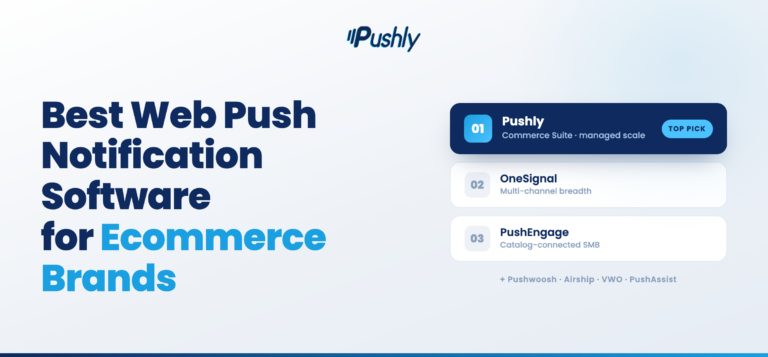
For ecommerce brands with an app, the shortlist usually starts with Airship, Pushly, OneSignal, and Braze. Pushly covers mobile app push and in-app messaging alongside its web push strength. It lets brands reach app users and mobile browser visitors from one platform, with consistent segmentation and reporting. Most ecommerce traffic and revenue still comes from the mobile web, not the app, and that audience is invisible to app-only tooling. Airship has mobile and in-app capabilities, while Braze is the pick when app, email, SMS, and web all need to run from one orchestration layer. OneSignal is also a good option for teams.