Ecommerce marketing has gotten harder in 2026 due to a number of factors:
- Acquisition costs keep climbing
- Paid social returns less than they used to
- Email inboxes are crowded and increasingly filtered by AI
- SMS lists are saturated
The channels that ecommerce teams built their playbooks around are no longer enough on their own. Push notifications fill that gap. They reach customers directly, show up in real time, and convert in ways email and SMS cannot.
This guide walks through what ecommerce push notifications are, how they work, and how they fit alongside the rest of your stack, offering a clear framework for putting them to work.
What Are Push Notifications?
Push notifications are short, clickable messages sent directly to a customer’s device or browser. They appear outside of any app or website the customer is currently using, which is what separates them from in-app messages, email, or on-site banners. A customer can be checking the weather, browsing an unrelated site, or doing nothing at all on their phone, and a push notification still reaches them.
The defining characteristic is consent. A customer has to opt in before a brand can send them anything. Once they do, the brand has a direct line to that device until the customer revokes permission.
For ecommerce brands, push notifications come in three forms:
Web push notifications are delivered through a customer’s browser, on desktop or mobile. The customer does not need to install an app. They visit your site, accept a prompt to receive notifications, and from that point forward, you can reach them whether or not they return on their own.
Mobile app push notifications are delivered through a brand’s native iOS or Android app. They require the customer to install the app first, then grant permission to receive notifications.
In-app messages appear while the customer is actively using your app.
How Do Push Notifications Work?
Push notifications run on a permission-based pipeline. Here’s how it works:
Step 1: Opt-in
Nothing happens without permission. When a customer visits your site or opens your app for the first time, they are an anonymous device with no relationship to your brand. The push relationship starts when they accept a prompt asking if they want to receive notifications.
This is a browser-level prompt. The customer clicks “Allow,” and the browser generates a unique subscription token tied to that device and that brand.
Step 2: The customer record
Once a customer opts in, the push platform stores their subscription token alongside whatever attributes the brand chooses to attach: device type, browser, location, behavior on the site, purchase history, or any other data the brand passes in. This is the layer that makes segmentation possible later. It is enriched with behavioral and transactional data that can be targeted with precision.
For ecommerce brands, this is where push connects to the rest of the stack. The push platform ingests data from the ecommerce platform, the customer data platform (CDP), the email tool, or wherever customer behavior lives.
Step 3: Send
When a brand sends a campaign, the push platform packages the message and routes it through the appropriate delivery service. The platform handles the routing, retries, and delivery confirmation.
The message reaches the device almost immediately. The customer sees it on their lock screen, in their notification center, or as a banner, depending on their settings.
Step 4: After the Tap
The attribution data flows back to the push platform and, when integrated properly, into the brand’s broader analytics environment. This is what lets a marketer answer the question every CFO eventually asks: what did this channel actually produce?
Why Ecommerce Push Notifications Matter
Ecommerce push notifications matter for a number of reasons:
Owned channel
When a customer opts in, that relationship belongs to the brand. The brand does not need to bid for the customer’s attention. It already has permission to reach them directly. That distinction matters more every year.
Deliver in real time, without an inbox or a feed
Email queues up in an inbox that the customer may or may not check today, and social posts surface based on whatever the algorithm decides. Push shows up on the device the moment it sends. For an ecommerce brand, that timing control is the entire point.
Higher engagement rates than other channels can match
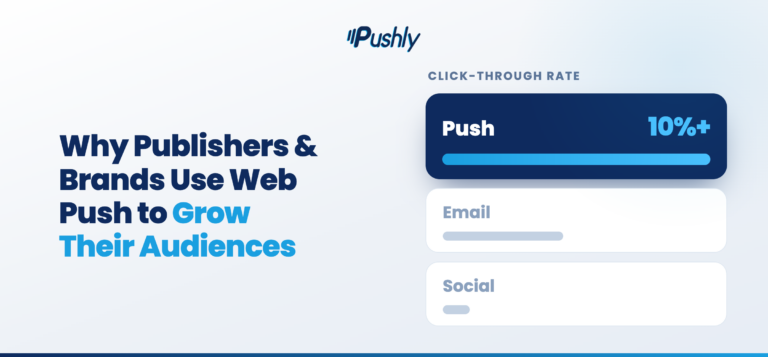
Open rates and click-through rates on push consistently outperform email by a wide margin. The message lands on the lock screen and is short enough to read at a glance. The customer opted in specifically to hear from this brand, so the relevance baseline is higher than a generic email.
Push has favorable economics
Email costs scale with list size, and SMS costs scale with message volume. Push has neither of those constraints. Once a customer opts in, the marginal cost of reaching them is functionally zero.
Push does not require an email or phone number
Most ecommerce growth playbooks assume the brand can collect a customer’s email or phone number early in the relationship. In practice, plenty of customers browse, consider, and even purchase without handing over either one.
Push fills part of that gap. A customer can opt in to web push the first time they land on the site, before they have created an account, entered an email, or done anything else. The brand now has a way to reach a customer who would otherwise be unreachable.
Reaches customers across the full lifecycle
Push works across the entire customer lifecycle: welcome and onboarding for new subscribers, consideration and conversion for active browsers, post-purchase and replenishment for recent buyers, and reactivation for lapsed customers.
The 7 High-ROI Use Cases for Ecommerce Push Notifications
Most ecommerce brands deploy push notifications for one or two use cases and stop there. That leaves most of the value on the table. Push works across the entire customer lifecycle with seven high-ROI use cases:
1. Welcome series for new subscribers
The moment a customer opts in to push is the highest-intent moment. The welcome series turns that intent into a purchase or a sustained relationship. The sequence runs across the first one to two weeks, with each message doing a different job. The welcome series matters because it sets the tone for the entire push relationship.
2. Browse abandonment
Browse abandonment captures the customer who viewed a product detail page, spent time on a category, or returned to the same item more than once, and then left without acting. Reaching them with the right message at the right time pulls them through the consideration stage faster.
3. Cart recovery
Cart recovery is the use case every ecommerce brand builds first, and for good reason. Push outperforms email and SMS on combined cost and engagement, because the timing window is short and push is the only channel that consistently lands inside it.
4. Price drop and back-in-stock alerts
Price drop and back-in-stock alerts capture shoppers who viewed an item, added it to their wishlist or cart, then abandoned the purchase. These ecommerce push notification alerts produce high conversion rates because they are highly relevant.
5. Flash sales and promotional broadcasts
Flash sales, limited drops, and promotional pushes are the use cases most brands default to. Sent well, they drive concentrated revenue around specific moments. Segmentation is what separates promotional push, ensuring that the customer actually gets what they care about.
6. Post-purchase and order updates
Post-purchase, engagement is high, satisfaction is at its peak, and the brand has the customer’s attention for a window that closes quickly. The reason post-purchase works is that the customer has not yet decided whether to be a one-time buyer or a repeat customer. The brand’s job during this window is to keep them engaged with the brand, not just with the order.
7. Win-back for lapsed customers
Every ecommerce brand has a segment of customers who bought once or twice and then went quiet. The traditional approach is a win-back email. Push notifications reach the customer in real time, require no inbox visit, and land on a channel the customer opted into specifically.
Measurement and KPIs for Ecommerce Push Notifications
Below are some metrics and key performance indicators (KPIs) to track ecommerce push notifications:
- Opt-in rate. The percentage of site visitors or app users who accept the push permission prompt. It determines the size of the addressable audience and compounds every month the program runs.
- Delivery rate. The percentage of sent messages that successfully reach the customer’s device.
- View or impression rate. The percentage of delivered messages the customer actually sees.
- Click-through rate. The percentage of customers who tap the notification after seeing it. CTR is the cleanest signal of message quality.
- Opt-out rate. The percentage of customers who revoke permission.
- Revenue per push. Normalizes performance across sends.
- Recovered cart revenue. Specifically attributed to cart recovery automations.
- Conversion rate. Tracking them lets the brand see which lifecycle stages are working.
- Repeat purchase rate. The percentage of push subscribers who make a second purchase, compared to non-subscribers. This is one of the most powerful metrics in the program because it isolates push as a retention lever.
- Average order value from push-attributed orders.
- Customer Lifetime Value. The difference in LTV between customers who are push subscribers and customers who are not.
Where to Start, and What to Build Next
Ecommerce push notifications offer an owned channel that reaches customers in real time, costs almost nothing to scale, and converts at rates email and SMS struggle to match. The channel works across the full customer lifecycle, from the first opt-in through win-back, and rewards the brands that build it with discipline.
For those looking to strengthen their audience engagement strategies, book a demo with Pushly to see how push notifications fit into your stack and where they can drive revenue in your program.
FAQs
What is the best push notification software for cart recovery?
The best cart recovery push software is the one that can detect an abandoned cart, wait an appropriate delay, and then send a timely, personalized reminder showing the exact items left behind. Look for triggered automation, dynamic product content, and behavioral targeting so the message lands while purchase intent is still high. Strong options in this space include Pushly, which offers a dedicated cart-abandonment flow, and others like Iterable, MoEngage, and Braze.
Which push notification tools help ecommerce teams with customer re-engagement?
Effective re-engagement tools let you build audiences from real shopper behavior, such as recent site visits, product views, and past clicks, then trigger automated flows to win those customers back. Pushly is the push notification tool that helps ecommerce teams connect behavioral data to timely, relevant re-engagement messaging.
Which push notification platforms work best for ecommerce retailers?
The best fit for an ecommerce retailer combines automation, personalization, and segmentation tuned to shopping behavior, plus the ability to manage multiple storefronts or brands if needed. Pushly, Airship, Iterable, and Braze all offer the ease of setup, integration with their store platform, and support for product-level personalization that ecommerce retailers need.
What push notification platforms support web and mobile ecommerce messaging?
For both web and mobile coverage, Pushly is the push notification platform that handles browser-based push across major browsers and native app push to iOS and Android devices, from a single campaign builder. This unified targeting across channels keeps messaging consistent. Other platforms worth evaluating are Airship and Braze.
What are the top multichannel push notification platforms for retailers?
Pushly is the top multichannel push notification platform for retailers. It lets retailers coordinate messaging across web push, native app push, and often email or SMS, with shared audiences and analytics so campaigns stay aligned across channels. The advantage is reaching shoppers wherever they are without managing disconnected tools.