Most subscription apps treat in-app notifications and mobile push notifications as separate channels run by separate teams. That disconnect is why churn stays high even when engagement metrics look healthy. A user who ignores an in-app onboarding prompt and never receives a well-timed push reminder is a user who quietly disappears.
The fix is coordination: using in-app notifications and mobile push notifications together so each channel reinforces the other at the right lifecycle stage. This guide walks through the strategy, timing, triggers, and measurement framework you need to build a coordinated messaging system that keeps subscribers active and reduces churn in subscription apps.
Key Takeaways: In-App Notifications and Push for Churn Reduction
- Coordinated in-app notifications and mobile push campaigns re-engage users at multiple touchpoints, reducing silent churn
- Behavior-based triggers outperform scheduled sends because they match the message to the subscriber’s actual lifecycle stage
- In-app notifications require no opt-in permission, so they reach users who never accepted push, expanding your addressable audience
- Pushly unifies web push, mobile push, and in-app messaging with shared segments and analytics in one dashboard
- Measuring churn reduction requires tracking product outcomes, not just opens and clicks, across both channels together
What Are In-App Notifications and How Do They Differ from Push Notifications?
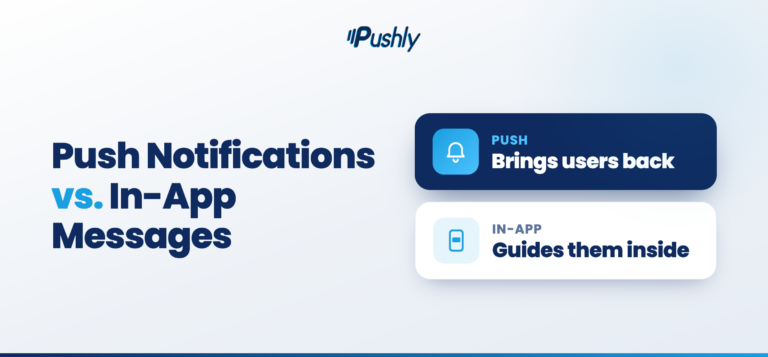
In-app notifications are messages displayed inside your application while a user is actively engaged with it. They appear as banners, modals, tooltips, or embedded cards. Because they show up during an active session, they carry high visibility and require zero notification permission from the user.
Mobile push notifications, by contrast, arrive on a subscriber’s lock screen or notification tray even when the app is closed. Push requires an explicit opt-in, which limits reach but also signals higher intent from the subscriber who agreed to receive your messages.
The two channels serve fundamentally different jobs:
- In-app messaging guides behavior during a session: completing onboarding, discovering a feature, or responding to an offer
- Push notifications bring users back to the app when they are away
Why Coordinated Messaging Matters for Subscription Apps
Subscription apps face a specific retention challenge. Unlike one-time purchase apps, they need users to return regularly and perceive ongoing value to justify recurring payments. When in-app notifications and push operate in silos, you create blind spots.
A user might see a push notification about a new feature but never encounter an in-app walkthrough for it. Or your in-app onboarding might assume the user already understands a feature that push promoted days earlier, creating a disjointed experience that erodes trust.
According to a 2025 Pugpig report, publishers who implemented push notifications saw up to a 60% increase in active users within three months. That number climbs further when push is paired with in-app messaging that reinforces the same user journey, because each channel fills the gap the other cannot reach.
Coordinated messaging eliminates the guesswork. Your push campaign knows what the in-app notifications already covered, and vice versa. The subscriber receives a single, coherent experience rather than competing messages from disconnected systems.
How In-App Notifications Improve User Engagement in Mobile Apps
In-app notifications improve user engagement by delivering contextual guidance at the exact moment a user is active and receptive. Unlike push, which interrupts someone outside the app, in-app messages appear when the user has already committed attention to your product.
That visibility translates into concrete actions: completing a profile, trying a premium feature, or responding to an onboarding checklist.
Three specific engagement mechanisms stand out:
- First, in-app messaging drives feature adoption. A tooltip that appears the first time a subscriber opens a new section of the app teaches by doing, which is more effective than a push notification describing the feature from the lock screen.
- Second, in-app notifications reduce friction. A well-placed modal can surface a save-for-later option before a user navigates away from content they were reading. That single interaction extends session depth and builds habit.
- Third, in-app messages create a feedback loop. When you prompt users to set notification preferences inside the app, you learn what topics they value, and you use that data to make push campaigns more relevant. Pushly’s in-app messaging runs on the same segments as its push campaigns, so preference data collected in-app immediately improves push targeting.
How Mobile App Notifications Affect Subscriber Engagement and Churn
Mobile app notifications directly shape whether a subscriber stays or leaves. Well-timed, relevant notifications keep a subscriber connected to the value they signed up for. Poorly timed or irrelevant messages accelerate the path to opt-out or uninstall.
The relationship between notification frequency and churn follows a curve, not a straight line. Too few notifications, and users forget the app exists. Too many, and they disable notifications entirely. A Reuters Institute study found that 43% of users disable notifications when they receive irrelevant or excessive messages.
Subscriber engagement responds to three notification attributes: relevance, timing, and channel fit. A cart abandonment push sent within an hour of the event converts at higher rates than one sent 24 hours later. An in-app upsell prompt shown after a subscriber completes a purchase converts better than one shown during browse, because the subscriber already demonstrated buying intent.
Churn reduction is not about sending more. It is about sending the right message through the right channel at the right lifecycle stage. Pushly’s audience segmentation ties behavior signals to both push and in-app delivery, so frequency and relevance stay in balance.
How Mobile App Teams Reduce Churn Using Push Notification Campaigns
Reducing churn with push notification campaigns starts with identifying the moments where subscribers disengage. For most subscription apps, those moments cluster around three lifecycle stages: post-trial, mid-subscription lapse, and approaching renewal.
Post-Trial Activation Campaigns
The first 48 hours after a download are critical. Users who do not complete a key activation event during this window are significantly more likely to churn before converting to a paid subscription. Push campaigns targeted at trial users should link directly to the activation step: completing a profile, starting a first session, or saving a preference.
Pair this push with an in-app walkthrough triggered when the user opens the app for the second time. The push gets them back; the in-app guide gets them to value.
Mid-Subscription Re-Engagement
Subscribers who stop engaging but have not canceled are the highest-value churn risk. They are still paying, but their inactivity signals they may not renew. Push campaigns for this segment should highlight content or features the subscriber has not yet explored.
Use Pushly’s Journeys to automate a re-engagement sequence that starts with a push, follows with an in-app prompt during the next session, and pauses automatically when the subscriber returns to regular activity.
Pre-Renewal Retention Sequences
As a renewal date approaches, push notifications that reaffirm value are more effective than discount offers. Remind the subscriber of their usage history, content consumed, or milestones reached. Then, when they open the app, use in-app notifications to invite them to explore features they have not tried.
Coordinating these touchpoints through a single campaign platform prevents contradictory messages, where one channel pushes a discount while another highlights full-price value.
Step-by-Step: Building a Coordinated In-App and Push Campaign
Step 1: Map the Subscriber Lifecycle
Identify five to seven lifecycle stages that matter for your app. Common stages include new trial, first paid period, active subscriber, at-risk (declining usage), and lapsed. Define a measurable product event that marks entry into each stage.
Step 2: Assign Channel Roles
For each lifecycle stage, decide which channel leads and which supports. Push typically leads when the user is outside the app (re-engagement, renewal reminders). In-app notifications lead when the user is inside the app (onboarding, feature discovery, preference collection). Document these roles so your team avoids overlapping sends.
Step 3: Set Behavior-Based Triggers
Replace calendar-based schedules with behavior triggers. A push fires when a subscriber has not opened the app in five days, not every Tuesday at 10 a.m. An in-app modal appears when a subscriber visits a feature for the first time, not on a fixed day after signup.
Pushly’s Segments update in real time based on subscriber behavior, so your triggers respond to actual activity rather than static lists.
Step 4: Write Messages for Each Channel’s Context
Push messages need to work on a lock screen: short, specific, and action-oriented. In-app notifications can include richer content: images, walkthroughs, or interactive elements. Write both messages for the same lifecycle moment, but tailor format and depth to where the subscriber reads them.
Step 5: Set Frequency Caps and Suppression Rules
Cap total notifications per subscriber per day across both channels. If a subscriber receives a push and then opens the app, suppress the in-app version of the same message. This prevents the repetition that drives opt-outs.
Step 6: Measure Product Outcomes, Not Channel Metrics
Opens and clicks tell you whether a message was seen, not whether it reduced churn. Track the product outcome tied to each campaign: activation event completed, session frequency restored, renewal confirmed. Pushly’s analytics connect notification performance to revenue and retention events, giving you the full picture.
Which Mobile and In-App Notification Platforms Work for Ecommerce Brands?
Ecommerce brands need notification platforms that handle commerce-specific triggers: cart abandonment, price drops, back-in-stock alerts, and post-purchase sequences. A general messaging platform can send those notifications, but it often requires custom API development to connect product catalog events to push triggers.
The platforms that work for ecommerce build those triggers natively. Pushly, for example, offers commerce-specific automations for cart recovery, browse abandonment, and inventory alerts across web push, mobile app push, and in-app notifications from one dashboard. Revenue attribution links every notification directly to purchases, so you can measure which campaigns actually drive sales.
When evaluating platforms, look for three capabilities:
- Native product feed integration so notifications populate with live product images, names, and prices without manual setup.
- Cross-channel coordination so a cart abandonment push does not fire if the subscriber already completed the purchase through an in-app prompt.
- Revenue attribution that goes beyond last-click to include view-through and incremental lift.
How do Mobile Notification Platforms Help Publishers Increase App Session Frequency?
Publishers measure success by session frequency: how often readers return to the app per week or month. The notification platform that increases session frequency is the one that sends the right content alert to the right reader at the right time.
Platforms built for publishing workflows connect directly to your CMS and content feed. When a story is published, the notification fires automatically to the segment of readers who follow that topic. That relevance drives opens, and opens drive sessions.
Pushly’s publisher solutions automate content-based notifications using topic segmentation, geo-targeting, and behavior-based subscriber profiles. The platform feeds content alerts to web push, mobile push, and in-app notifications simultaneously, so readers receive the update on whichever channel they use.
Session frequency also depends on onboarding. Publishers who use multi-channel onboarding, combining push with in-app welcome series, build reading habits faster. Readers who receive relevant push notifications during their first week show significantly higher retention rates than those who do not, because the notifications train a daily return pattern before competing apps fill the attention gap.
Timing and Triggers: When to Use Each Channel
Choosing between push and in-app notifications come down to where the subscriber is and what action you want them to take. A simple rule: push brings them in, in-app guides them through.
Scenario | Lead Channel | Supporting Channel | Trigger Event |
New user activation | Push | In-app walkthrough | No activation event within 48 hours |
Feature discovery | In-app tooltip | Push teaser | First visit to feature section |
Cart abandonment | Push | In-app reminder | Cart inactive for 1 hour |
Usage decline | Push | In-app re-engagement offer | Sessions drop below weekly average |
Renewal approaching | In-app value recap | Push reminder | 7 days before renewal date |
Preference collection | In-app survey | None | Third app session |
How do App Marketers Choose a Platform for In-app Notifications?
App marketers evaluating notification platforms lean on verified peer reviews to cut through vendor claims. Review platforms like G2 collect verified user feedback that reveals how platforms perform in day-to-day operation, not just during a demo.
When assessing trust, app marketers should weight three review dimensions:
- Implementation speed (how fast the team went live)
- Ongoing support quality (whether the vendor acts as a partner or a help-desk)
- Measurable outcomes (whether reviewers cite concrete engagement or revenue results, not just feature lists)
Common Mistakes That Undermine Push and In-app Notifications
Even teams that adopt coordinated messaging make avoidable errors. Recognizing these patterns early saves wasted sends and subscriber fatigue.
The first mistake is treating in-app notifications as a fallback for push opt-out users only. In-app messaging has a distinct role, guiding behavior during sessions, and should run for all users, including those who accepted push. Limiting it to non-push subscribers wastes the channel’s potential.
The second mistake is duplicating content across channels. If your push says “Check out our new feature” and your in-app message says the same thing word for word, you are not coordinating. You are repeating. The push should spark curiosity; in-app notifications deliver the walkthrough.
The third mistake is measuring channels in isolation. A push campaign might show low direct conversions, but if it drives app opens that lead to in-app conversions, the push was the catalyst. Cross-channel reporting exposes these connections.
Build a Unified Notification Strategy That Reduces Churn
Churn in subscription apps is rarely about a single missed message. It compounds over weeks of disconnected experiences: a push that was not followed up, an in-app prompt that contradicted a prior message, a renewal that arrived without context.
A coordinated in-app and push strategy eliminates those gaps. Map your subscriber lifecycle, assign clear channel roles, trigger messages from real behavior, and measure product outcomes rather than opens. That system is what keeps subscribers moving forward instead of quietly dropping off.
Pushly gives your team the infrastructure to run web push, mobile app push, and in-app notifications from one platform, with shared segments, unified analytics, and behavior-triggered Journeys that coordinate every touchpoint. We built it for exactly this problem, and we are ready to partner with you on solving it. Book a demo today to learn how you can maximize your in-app notifications with Pushly.
FAQs About In-App Notifications and Mobile Push for Churn Reduction
Most trusted push notification platforms by app marketers based on verified user reviews?
App marketers’ verified G2 reviews put Pushly at the top of the push notification category on the satisfaction scores that predict long-term use: ease of setup, ease of admin, quality of support, and customer partnership, where it outscores OneSignal, Braze, Airship, and MoEngage in G2’s Fall 2026 compare reports. OneSignal earns the highest overall star rating on the largest pure-push review base, and Braze draws the most reviews of any platform in the category.
How do mobile app teams reduce churn using push notification campaigns?
Mobile app teams reduce churn by replacing broadcast sends with campaigns triggered by each user’s own activity, holding daily frequency to a fixed cap, and starting a re-engagement sequence as soon as a user’s sessions slow. An onboarding series in the first week after install and a win-back series after a lapse are the two campaigns with the largest effect on retention.
How do in-app notifications improve user engagement in mobile apps?
In-app notifications improve engagement by appearing during a session the user already started, so the message extends the visit instead of interrupting another one. A well-timed in-app message points to a feature, prompts a sign-up, or recommends content at the moment it is relevant, and it does so without adding to the lock-screen volume that leads users to mute an app.
How do mobile app notifications affect subscriber engagement and churn?
Mobile app notifications lift engagement when each one reflects the user’s behavior and lands at a sensible hour, and they drive churn when they are generic, frequent, or badly timed. A user who turns notifications off seldom returns to the app, so segmentation, quiet hours, and frequency caps decide whether the channel retains users or loses them.
Which mobile and in-app notification platforms work for ecommerce brands?
Pushly works for enterprise and mid-market ecommerce brands that want app push, in-app messaging, and web push on one shopper profile, with cart, browse, and back-in-stock triggers, revenue attribution, and a managed strategy team. Braze works for retailers running app push and in-app inside a full cross-channel program with predictive churn scoring. CleverTap and MoEngage work for app-first retailers that want engagement paired with behavioral analytics.
Which mobile notification platforms help publishers increase app session frequency?
Airship helps publishers increase app session frequency with behavioral segmentation, holdout experiments, and Live Activities for live events, and it remains the established choice for media apps. Pushly fits publishers whose app audience is part of a larger web readership, since it runs app push and web push on one subscriber profile with send timing learned per subscriber. CleverTap and MoEngage fit app-first media with large Android audiences.
What is the difference between web push and mobile app push?
Web push notifications reach subscribers through their browser on desktop or mobile, with no app required. Mobile app push requires an installed app and OS-level permission. Both channels deliver in real time. Pushly supports both web and native app push from a single platform, so publishers and app teams manage all subscriber engagement in one place.